So You Want to Write a Skill for a Coding Agent?
Buckle up. It’s not as simple as dumping a README in a folder and calling it a day. There’s a certain kind of developer hubris that kicks in when you first hear about “skills” for…
Vishal Kr. Singh
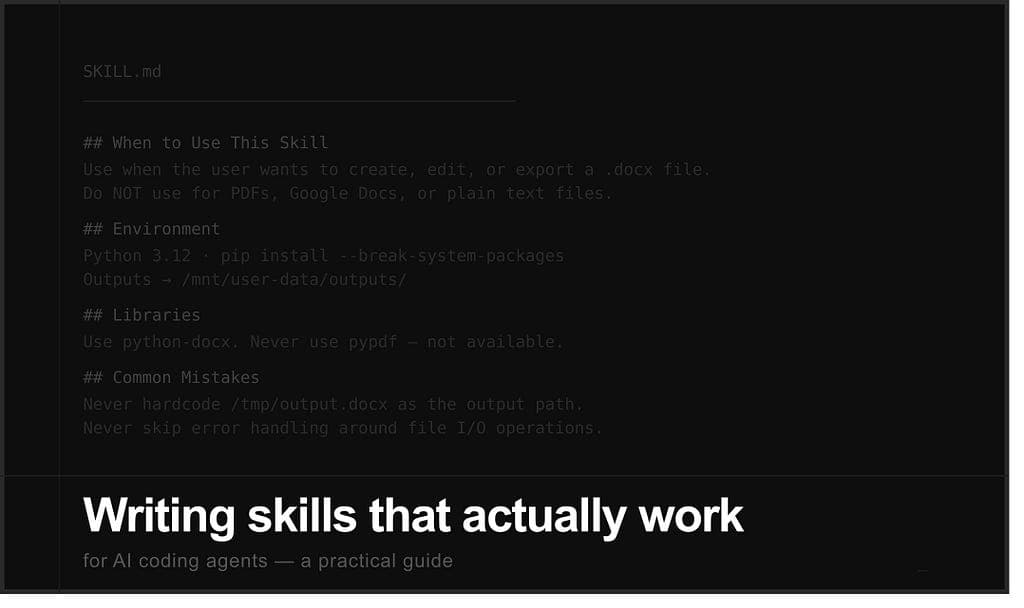
Buckle up. It’s not as simple as dumping a README in a folder and calling it a day.
There’s a certain kind of developer hubris that kicks in when you first hear about “skills” for AI coding agents. You think: I’ll just write some instructions, the AI will read them, and everything will work perfectly.
And then you try it. And the AI completely ignores your instructions and does something creative instead. Or it reads them and decides to interpret every sentence in the most unhinged way possible.
This post is about avoiding that. It’s about writing skills that actually work — the kind where the AI does exactly what you intended, not a fever dream approximation of it.
First, What Even Is a “Skill”?
A skill is basically a cheat sheet you hand to an AI coding agent before it starts working. Think of it as the senior developer’s onboarding doc, except instead of a bored human skimming it for 3 minutes, you’ve got an AI that reads every word with the intensity of someone studying for a board exam.
In the context of Claude Code and similar agents, a skill is usually a SKILL.md file — a markdown document that lives in a folder and tells the agent:
- What tools and libraries are available in this environment
- What patterns it should follow
- What mistakes it should never make (and why)
- What the output should look like
The agent reads this before doing any work. So if you write a bad skill, you’ve essentially given bad advice to someone with the productivity of 10 engineers. Congratulations, you’ve scaled your bad judgment.
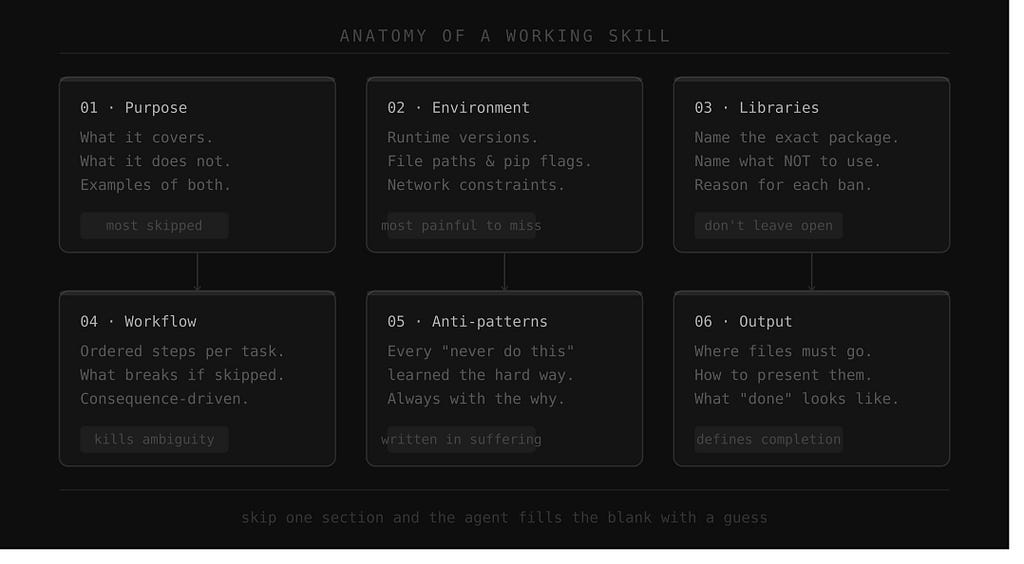
The Anatomy of a Skill That Doesn’t Suck
Let me break down what a working skill actually looks like. Not what a theoretically fine skill looks like. A working one.
1. A Clear Declaration of Purpose
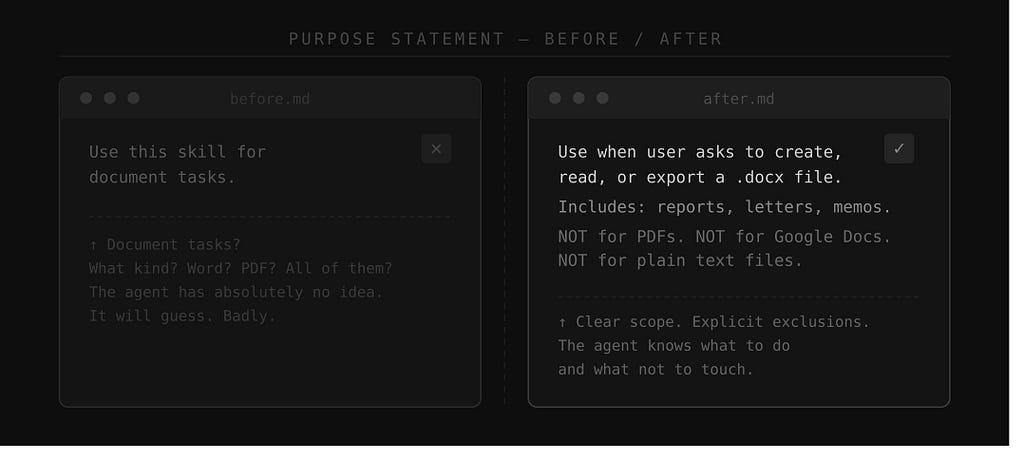
Start by telling the agent exactly when to use this skill. Not in a vague, hand-wavy way. Be specific.
Bad:
Use this skill for document tasks.
Good:
Use this skill whenever the user wants to create, read, edit, or export
a .docx file. This includes generating reports, editing existing Word
documents, inserting tables, replacing images, or adding headers and footers.
Do NOT use this for PDFs, Google Docs, or plain text files.
See the difference? The second one tells the agent what to use it for and equally importantly, what NOT to use it for. That second part is criminally underrated. Without exclusions, the agent will happily apply your Word document skill to a PDF task and wonder why everything broke.
2. Environment Constraints (The Stuff That Actually Kills You)
Here’s where most people fail spectacularly. They write skills that work beautifully on their MacBook and then completely fall apart in the container where the agent actually runs.
Your skill needs to document the environment. Not assume it. Document it.
What to include:
- Which Python version is available (3.11, not "latest")
- Whether pip installs need --break-system-packages (they do in Ubuntu 24, by the way)
- Which npm packages are pre-installed vs need to be fetched
- What the file system looks like — where uploads land, where outputs should go
- Any domain restrictions (some agents can’t hit arbitrary URLs)
Example:
## Environment

- Python 3.12 is available
- Always use `pip install <package> --break-system-packages`
- Node 20 is available; global installs go to /home/claude/.npm-global
- User uploads are at /mnt/user-data/uploads/
- Final outputs must be written to /mnt/user-data/outputs/
- Network is restricted to specific domains - do not attempt arbitrary outbound requests
This is the boring part. This is also the part that separates skills that work from skills that technically run but produce nothing useful.
3. The Preferred Libraries Section
Do not leave library choices to the agent. I repeat: do not leave library choices to the agent.
If you leave it up to the AI, it will pick whatever library it was trained on most heavily, which may be deprecated, unavailable in your environment, or just not the right tool. It’s not malicious. It’s just pattern-matching from training data, and training data doesn’t know what’s installed in your specific container.
Be explicit:
## Libraries

Use `python-docx` for all Word document manipulation. Do NOT use `docx2python`
or `docxtpl` unless the user explicitly asks.

For PDF generation, use `reportlab`. For reading existing PDFs, use `pdfplumber`.
Do NOT use `pypdf` - it is not available in this environment and the error messages
will be deeply unhelpful.
That last sentence — “the error messages will be deeply unhelpful” — is not fluff. Adding why a constraint exists makes the agent less likely to try workarounds when it hits edge cases.
4. Step-by-Step Workflow (Yes, Be That Explicit)
The agent is smart. You know what it’s not? Telepathic. You have to tell it the exact sequence of steps for common tasks.
Here’s an example for a document skill:
## Workflow for Creating a New Document

1. Read the user's request to understand structure and content needs
2. Plan the document sections before writing any code
3. Install required libraries if not already available
4. Write the Python script to generate the document
5. Run the script and verify the output file exists
6. Present the file to the user using present_files()
Do NOT skip step 2. Documents that skip planning end up with inconsistent
heading levels and section order. The user will notice. It looks bad.
Notice the tone. It’s not just “do these steps.” It’s “here’s what happens if you skip a step.” Agents respond well to consequence-based instructions. It’s basically the same way you train junior developers, except the agent won’t get defensive about feedback.
5. Anti-Patterns: The “Never Do This” Section
This is my favorite section to write because it’s where you encode all the painful lessons from previous failures.
Every good skill has a section that reads like a list of things that went wrong in testing and caused someone to have a bad day. Write this section. Be specific. Be a little bitter about it.
## Common Mistakes — Don't Do These

- Never use `os.system()` to run shell commands in the generated code. Use subprocess.
- Never hardcode the output path as `/tmp/output.docx`. Always use /mnt/user-data/outputs/
- Never assume the user's uploaded file is clean UTF-8. Handle encoding errors.
- Never skip error handling around file I/O. If the file write fails silently,
  the user gets no output and you get no explanation. This is everyone's worst day.
- Do NOT install packages inside the generated Python script. Install them in the
  bash environment before running the script.
Each one of those rules exists because someone (me, probably) made exactly that mistake. That’s how good documentation gets written — through suffering.
6. Output Standards
Tell the agent what “done” looks like. Otherwise it’ll call itself done when it’s 70% of the way there.
## Output Requirements
- The final file must be placed at /mnt/user-data/outputs/<filename>
- Always call present_files() after generating the output
- Include a one-line summary of what was created (not a paragraph - a line)
- If the task involved multiple files, present all of them in a single call
- Do NOT output the file contents to the terminal as text - give the user the actual file
The last point seems obvious. It is not obvious. Without it, you will occasionally get the agent printing a 400-line XML document to stdout and calling that a deliverable.
Real Talk: How to Test If Your Skill Actually Works
Writing the skill is step one. Testing it is where you find out how wrong you were.
Here’s a simple testing protocol:
1. Test the happy path. Give the agent a clean, clear request that the skill is designed for. Does it work end-to-end? Does it produce the expected output? Good. You’re 30% done.
2. Test the edge cases. What happens with a malformed input file? What happens if the user asks for something adjacent to the skill’s purpose but not exactly covered? Does the agent handle it gracefully or collapse into confusion?
3. Test for drift. Give the agent a request that sounds like it could use the skill but shouldn’t. Does it correctly decide not to? Or does it eagerly apply the skill where it doesn’t belong? This is the “exclusion clauses” test, and it reveals how specific your purpose statement actually is.
4. Read what the agent produces, not just whether it ran. This sounds obvious. It isn’t. A script can execute successfully and produce garbage output. Read the output. Check if it matches intent, not just if it exists.
The Meta-Skill: Writing Instructions That Survive Contact With Reality
Here’s the thing nobody tells you when you start writing skills: you’re not writing for an AI, you’re writing for an AI that’s under time pressure, working from partial information, and making judgment calls you can’t predict.
That means your skill needs to be:
- Specific enough that it handles the common cases without ambiguity
- Flexible enough that it doesn’t break on reasonable variations
- Honest about constraints so the agent doesn’t waste time on dead ends
- Opinionated about libraries and patterns so there’s no decision paralysis
Think of it less like a spec and more like advice from someone who’s already done the task 50 times and knows where all the traps are. Because that’s exactly what a good skill is.
A Template to Steal
Here’s a bare-bones skill template you can adapt:
# [Skill Name] Skill

## When to Use This Skill
[Describe exactly what tasks this covers. Include examples. Explicitly state what it does NOT cover.]
## Environment
- [Runtime versions]
- [Package installation quirks]
- [File system paths]
- [Network constraints]
## Preferred Libraries
- [Library name]: [what it's for]
- Do NOT use [alternative]: [reason]
## Step-by-Step Workflow
1. [Step 1]
2. [Step 2]
...
[Add consequence notes for critical steps]
## Common Mistakes
- [Anti-pattern]: [why it's bad and what to do instead]
## Output Requirements
- [Where files go]
- [How to present them]
- [Format/naming conventions]
## Example
[Optional but highly recommended: show a complete worked example]
Closing Thoughts
Writing a skill for a coding agent is a bit like writing a recipe for someone who will follow it exactly as written, interpret every ambiguity in the most unexpected way, and then serve you the result with complete confidence.
Your job is to remove the ambiguity. All of it. The stuff you think is obvious, the stuff that “any developer would know,” the stuff that “goes without saying” — say it anyway. The agent won’t be offended.
And when your skill works — when the agent reads your instructions and produces exactly the right output on the first try — it’s genuinely satisfying in a way that’s hard to explain. Like writing a test that actually catches a bug. Or documentation that someone actually reads and uses.
Build it right. Test it properly. Update it when it breaks.
And for the love of all things good, document which packages aren’t available. Future you — and future AI — will thank you.
Written for developers who’ve spent too long debugging agent behavior and finally decided to write it down properly.
~ don’t look at me : https://vishalvoid.com