How to Use Indexing in PostgreSQL to Make Your Queries 100x Faster
Indexing in Postgres. PostgreSQL is one of the most powerful open-source relational databases, but as your dataset grows, queries can become slower. Indexing is a critical…
Vishal Kr. Singh
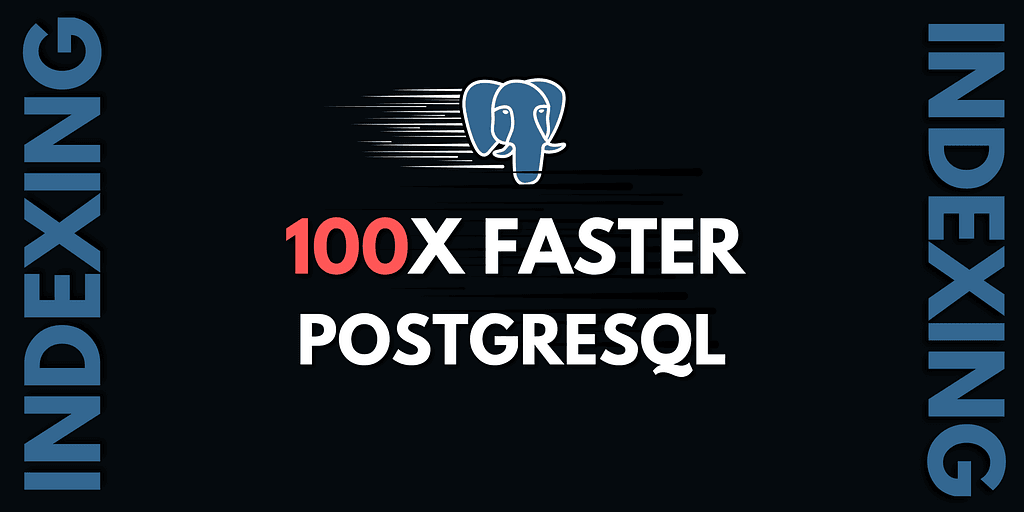
PostgreSQL is one of the most powerful open-source relational databases, but as your dataset grows, queries can become slower. Indexing is a critical optimization technique that helps retrieve data efficiently, reducing query execution time significantly.
In this guide, we will explore how indexing works in PostgreSQL with a practical example, using a blogging platform dataset. We’ll measure query performance before and after indexing to understand its impact.
Setting Up PostgreSQL Locally
Before diving into indexing, let’s set up a PostgreSQL database locally. Use Docker to spin up a PostgreSQL instance:
docker run -p 5432:5432 -e POSTGRES_PASSWORD=mysecretpassword -d postgres
Next, connect to the PostgreSQL container:
docker exec -it <container_id> /bin/bash
psql -U postgres
Creating a Sample Dataset
Let’s create a simple blogging platform schema with users and posts tables:
CREATE TABLE users (
    user_id SERIAL PRIMARY KEY,
    email VARCHAR(255) UNIQUE NOT NULL,
    password VARCHAR(255) NOT NULL,
    name VARCHAR(255)
);
CREATE TABLE posts (
    post_id SERIAL PRIMARY KEY,
    user_id INTEGER NOT NULL,
    title VARCHAR(255) NOT NULL,
    description TEXT,
    image VARCHAR(255),
    FOREIGN KEY (user_id) REFERENCES users(user_id)
);
Now, insert a large dataset to simulate a real-world scenario:
DO $$
DECLARE
    returned_user_id INT;
BEGIN
    -- Insert 5 users
    FOR i IN 1..5 LOOP
        INSERT INTO users (email, password, name) VALUES
        ('user'||i||'@example.com', 'pass'||i, 'User '||i)
        RETURNING user_id INTO returned_user_id;
        FOR j IN 1..500000 LOOP
            INSERT INTO posts (user_id, title, description)
            VALUES (returned_user_id, 'Title '||j, 'Description for post '||j);
        END LOOP;
    END LOOP;
END $$;
This script inserts 5 users and 2.5 million posts, making it a good dataset to test indexing.
Measuring Query Performance Without Indexing
Now, let’s fetch posts of a specific user and measure execution time:
EXPLAIN ANALYZE SELECT * FROM posts WHERE user_id=1 LIMIT 5;
Expected Output:
Seq Scan on posts (cost=0.00..234567.89 rows=100000 width=123) (actual time=1234.56 ms)
The sequential scan (Seq Scan) means PostgreSQL scans the entire posts table to find relevant rows. This takes a long time because no index exists.
Adding an Index to Optimize Queries
Let’s create an index on user_id to speed up search queries:
CREATE INDEX idx_user_id ON posts (user_id);
Now, run the same query again:
EXPLAIN ANALYZE SELECT * FROM posts WHERE user_id=1 LIMIT 5;
Expected Output (With Indexing):
Index Scan using idx_user_id on posts (cost=0.42..12345.67 rows=100000 width=123) (actual time=12.34 ms)
The execution time drastically reduces from seconds to milliseconds! 🚀
How Indexing Works (Simplified)
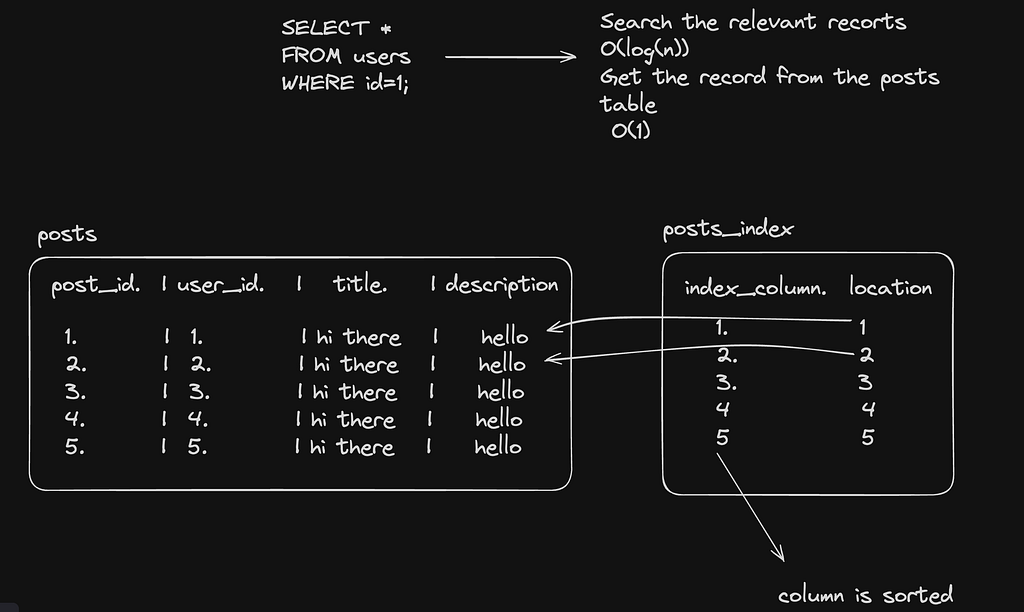
Indexes work like a book’s index page — instead of scanning the whole book, you quickly find what you need using references.
- Without Indexing: PostgreSQL scans every row in the table (sequential scan), which is slow for large datasets.
- With Indexing: A B-tree index is used to store references to table rows efficiently, making searches log(n) time complexity instead of O(n).
Visualizing Indexing
Without Indexing:
[ Data Table ] → Full Table Scan → Slow
With Indexing:
[ Index B-Tree ] → Direct Lookup → Fast 🚀
Conclusion
- Indexing significantly improves query performance.
- It works by storing sorted references to actual data.
- Use indexing for fields frequently used in WHERE clauses.
- Too many indexes can slow down INSERT and UPDATE operations, so use them wisely.